Figures
Every figure on this site is drawn by a Python module from facts extracted from the code, so it is rebuilt,
not redrawn, when the code changes. CI runs kokeb-docs figures --check and fails when a
committed figure no longer matches the code. Each figure below lists the files it is drawn from.
Inside the SFM modules
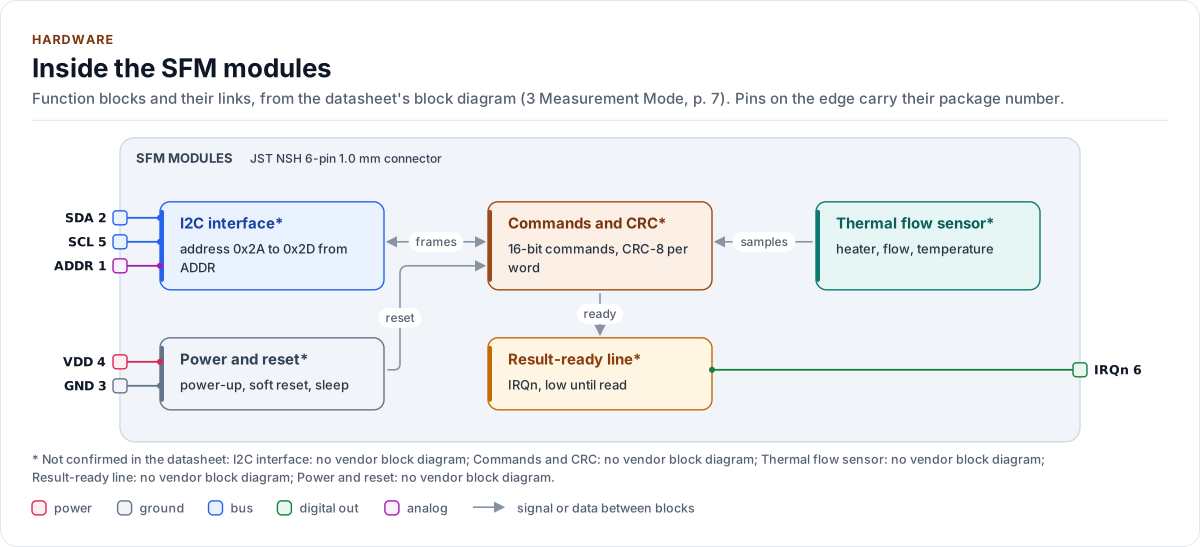
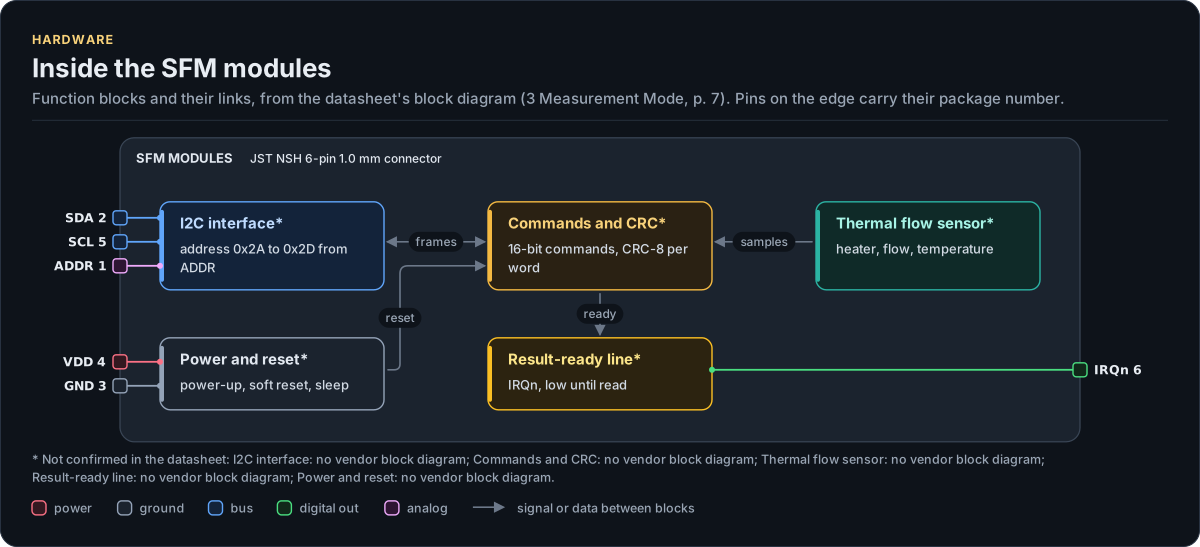
Figure description and sources
The SFM modules's function blocks inside its outline. Arrows between blocks carry signals or data in the direction they point (both ways where they have two heads). The package pins stand on the left and right edges with their numbers, each wired to the block it reaches.
Drawn from: docs/hardware.yml; inc/sfm_flow_meter_i2c_interface.hpp.
Hardware description: docs/hardware.yml
Drawn from:
SFM modules: Address selection
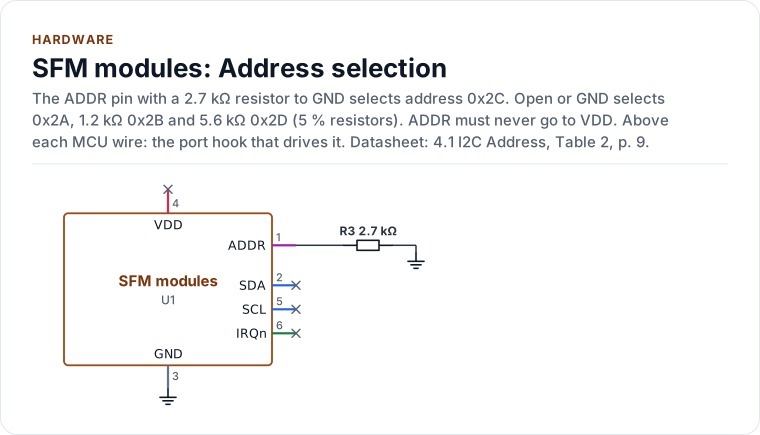
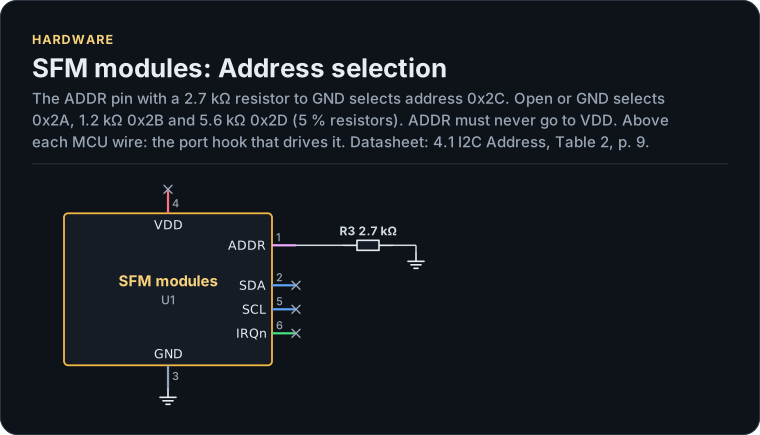
Figure description and sources
A schematic. The MCU is on the left, each of its pins level with the chip pin it connects to; above each wire is the hook of the driver's port that drives or reads it. Supply pins point up to their supply and decoupling, ground pins down. Pins on the right carry the loads and the pins tied to a supply or ground; a cross marks a pin left open. A dot is a junction; wires that cross without a dot are not connected.
Drawn from: docs/hardware.yml; inc/sfm_flow_meter_i2c_interface.hpp.
Hardware description: docs/hardware.yml
Drawn from:
SFM modules: Typical application
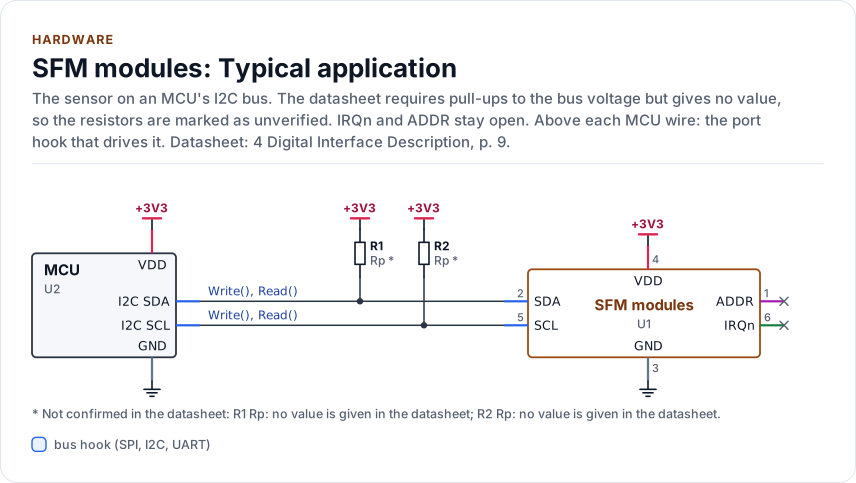
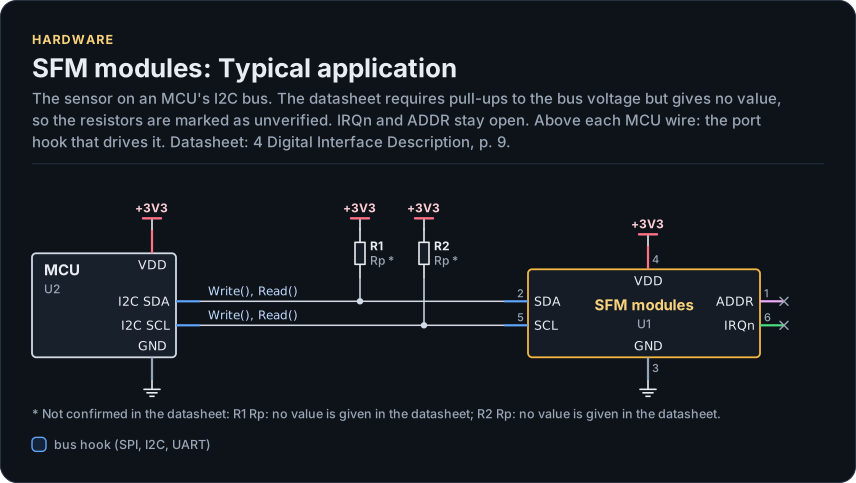
Figure description and sources
A schematic. The MCU is on the left, each of its pins level with the chip pin it connects to; above each wire is the hook of the driver's port that drives or reads it. Supply pins point up to their supply and decoupling, ground pins down. Pins on the right carry the loads and the pins tied to a supply or ground; a cross marks a pin left open. A dot is a junction; wires that cross without a dot are not connected.
Drawn from: docs/hardware.yml; inc/sfm_flow_meter_i2c_interface.hpp.
Hardware description: docs/hardware.yml
Drawn from:
SFM modules package, JST NSH 6-pin 1.0 mm connector
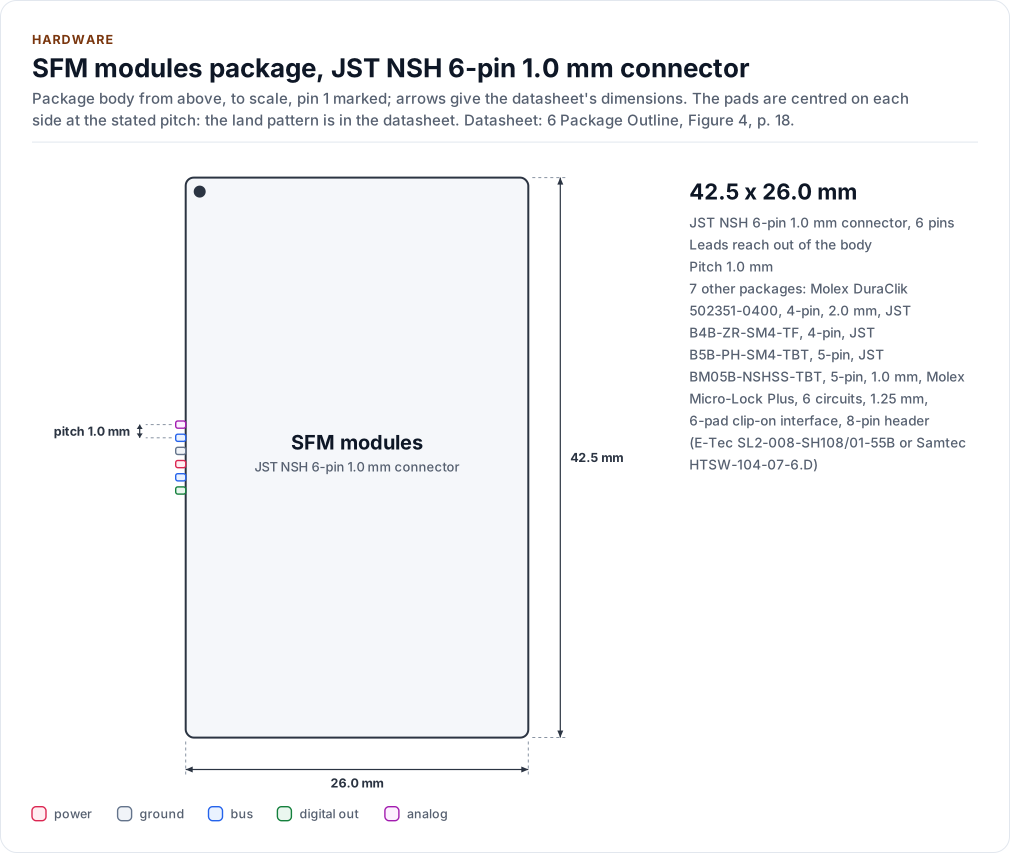
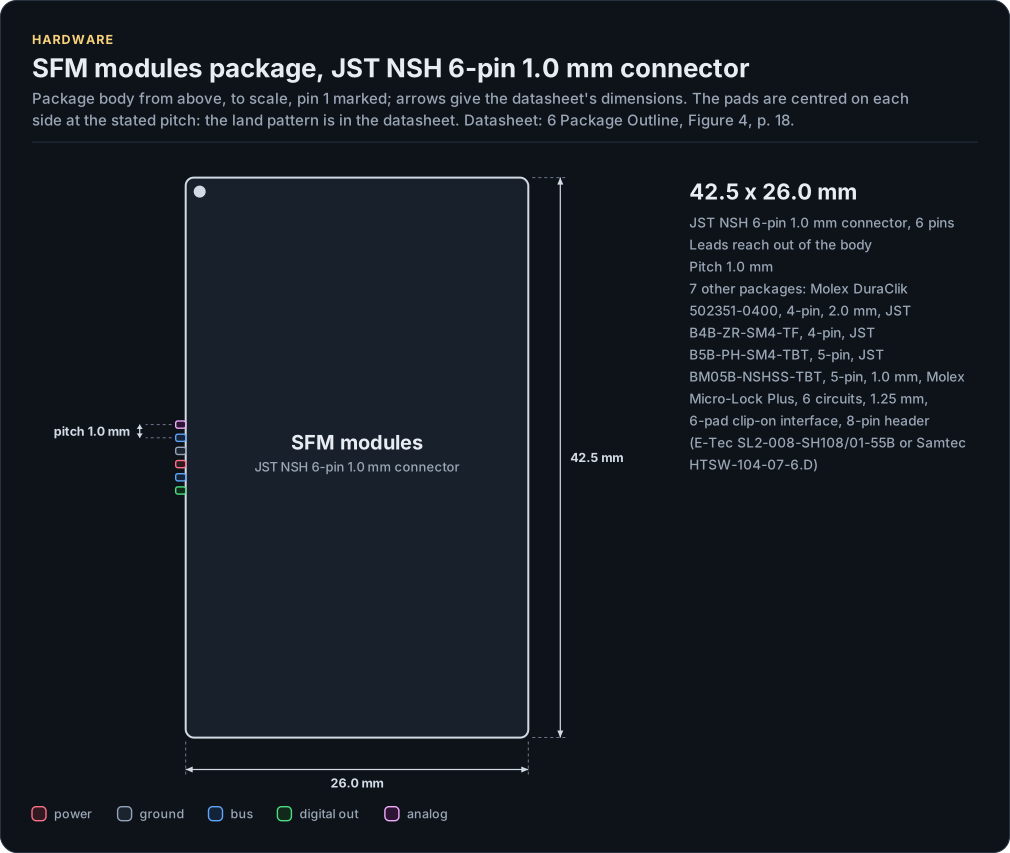
Figure description and sources
The SFM modules package seen from the top and, when the height is known, from the side, drawn to scale: 42.5 x 26.0 mm. The arrows carry the datasheet's dimensions, the dot marks pin 1 and the pads are numbered counter-clockwise from it, coloured by the pin's electrical type (legend below). Pads sit centred on each side at the stated pitch; the datasheet's land pattern is the reference for a board.
Drawn from: docs/hardware.yml; inc/sfm_flow_meter_i2c_interface.hpp.
Hardware description: docs/hardware.yml
Drawn from:
SFM modules pinout, JST NSH 6-pin 1.0 mm connector
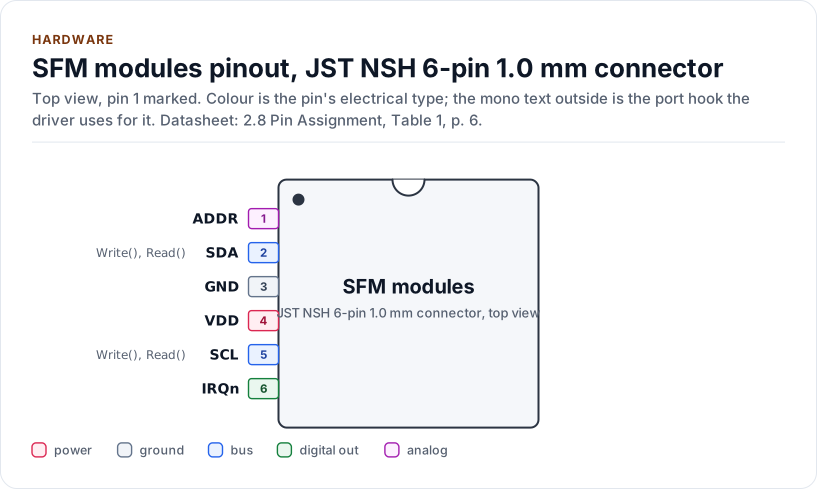
Figure description and sources
The SFM modules seen from the top, in its JST NSH 6-pin 1.0 mm connector package. Pin 1 is marked by the dot; the numbers run counter-clockwise from it. Each pad is coloured by the pin's electrical type (legend below). Next to it is the pin's name and, in mono, the hook of the driver's port that drives or reads it; a pin without a hook is not used by the driver.
Drawn from: docs/hardware.yml; inc/sfm_flow_meter_i2c_interface.hpp.
Hardware description: docs/hardware.yml
Drawn from:
The layers, one of them yours
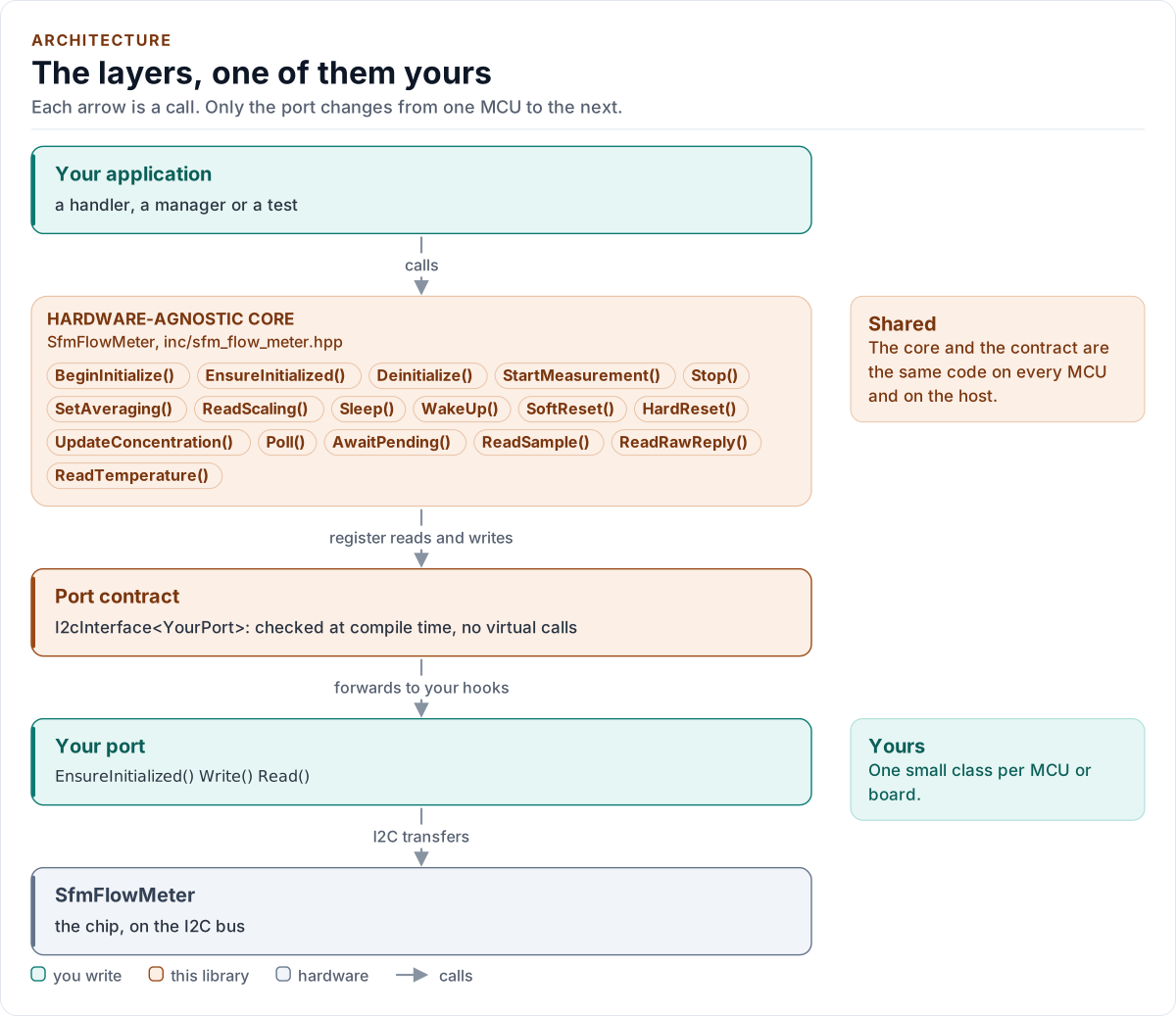
Figure description and sources
Top to bottom, each arrow is a call. Your application calls one object, whose public calls are listed from the umbrella header in inc/. The core turns each call into register reads and writes and hands them to the port contract (the CRTP base in inc/*_interface.hpp), which forwards them, at compile time, to the hooks of the port class you write; your port moves the bytes on the bus. The notes on the right say which layers stay the same on every MCU and which one you write. A library without a port contract has only the first two layers.
Drawn from: inc/sfm_flow_meter.hpp public calls; inc/sfm_flow_meter_i2c_interface.hpp I2cInterface; figure module docs/diagrams/figures/driver-layers.py.
Figure module: docs/diagrams/figures/driver-layers.py
Drawn from:
public callsininc/sfm_flow_meter.hppI2cInterfaceininc/sfm_flow_meter_i2c_interface.hpp
Driver states
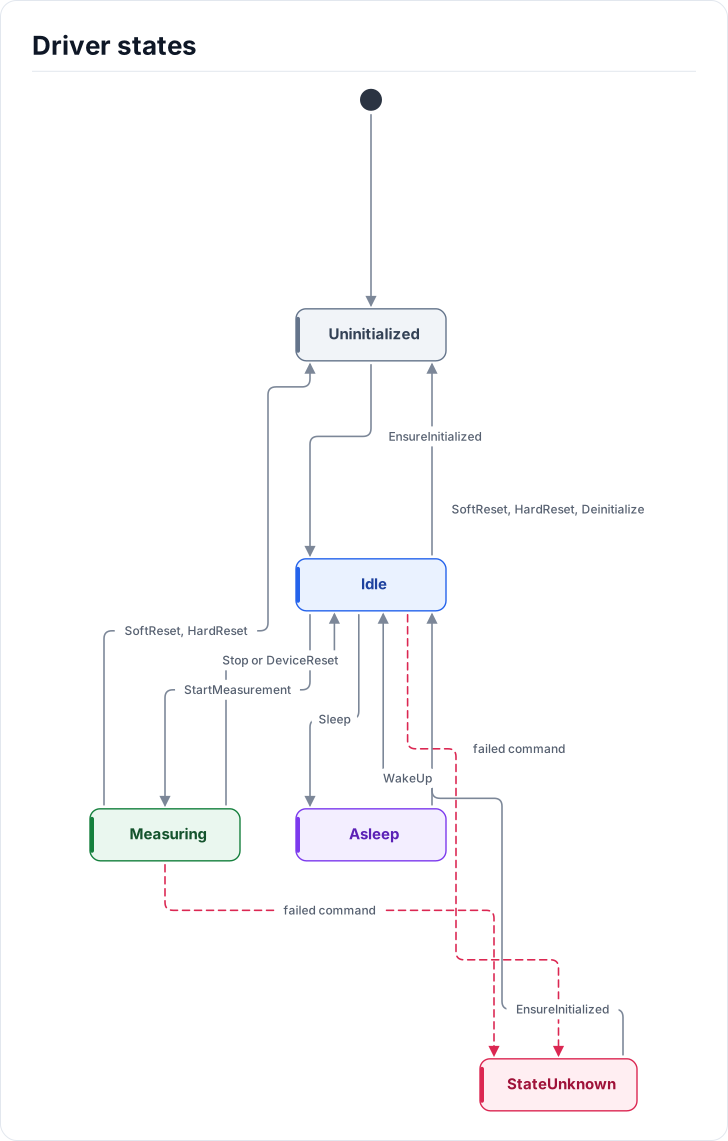
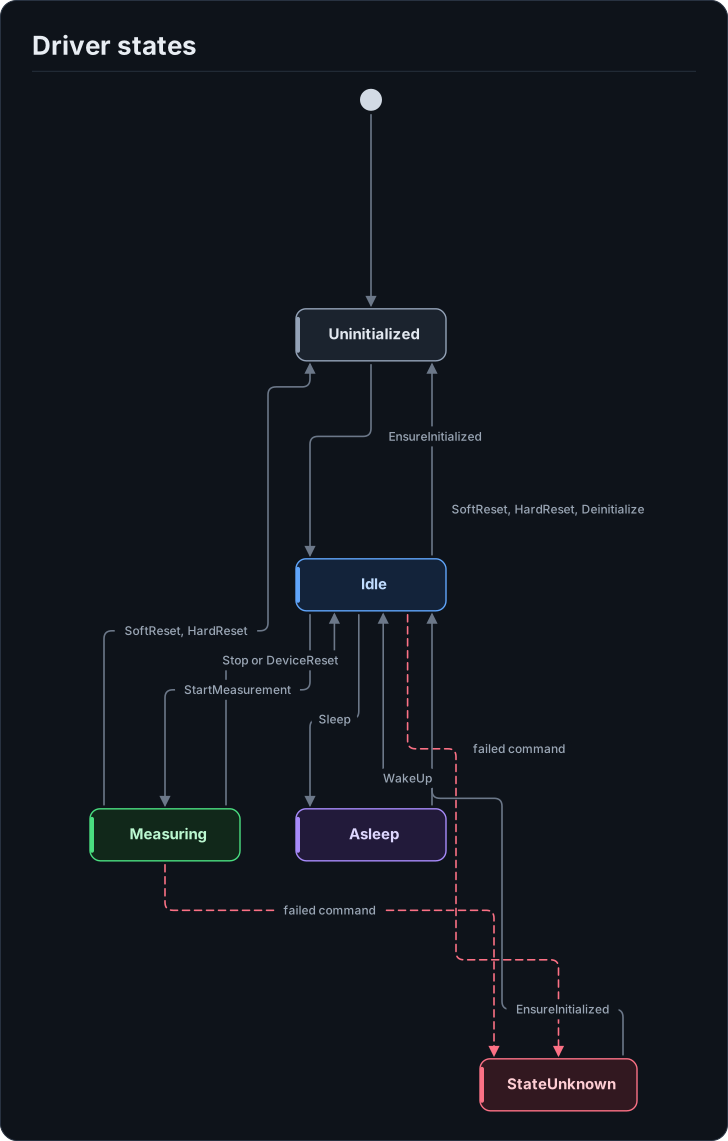
Figure description and sources
Five states. The driver starts Uninitialized and EnsureInitialized moves it to Idle. In Idle, StartMeasurement leads to Measuring and Sleep leads to Asleep; WakeUp returns from Asleep to Idle. Stop and a DeviceReset that stays silent past the bound return Measuring to Idle. SoftReset, HardReset and Deinitialize return Idle to Uninitialized, and SoftReset or HardReset do the same from Measuring. A failed command in Idle or Measuring leaves the driver in StateUnknown, and EnsureInitialized returns it to Idle.
Drawn from: docs/model/driver-states.state.yml.
Hardware description: docs/model/driver-states.state.yml
Drawn from:
Start, wait and read one measurement
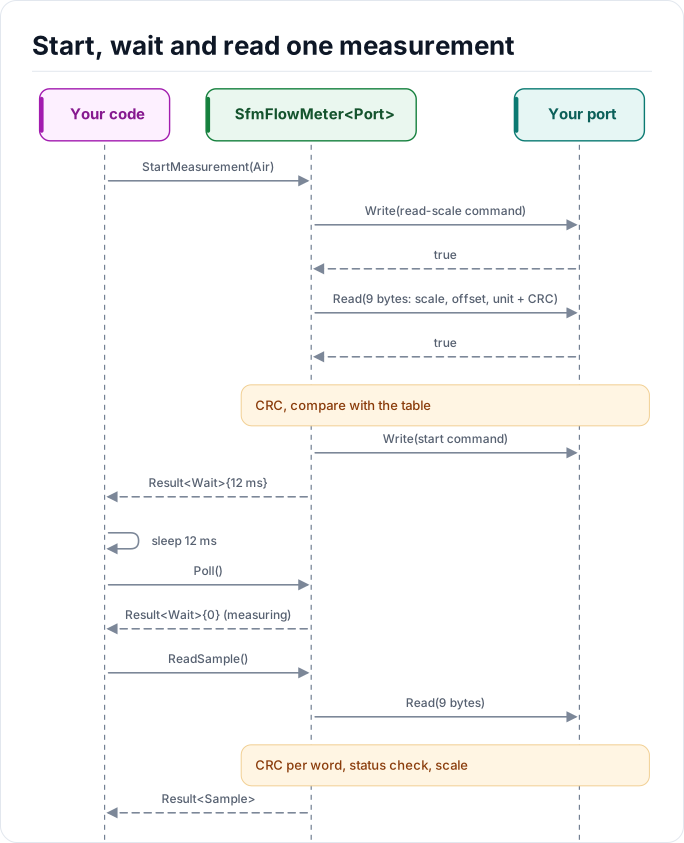
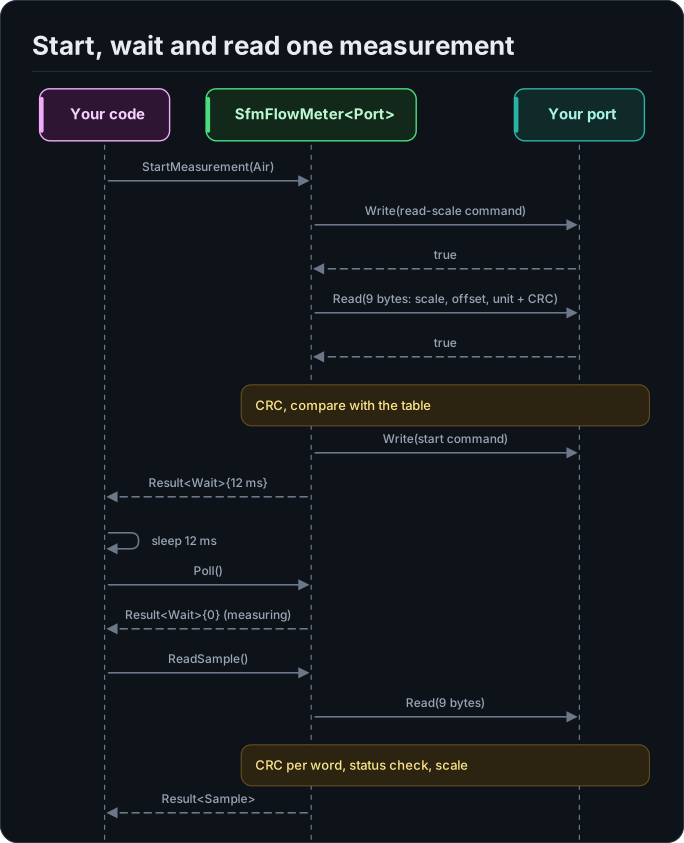
Figure description and sources
Participants, left to right: Your code, SfmFlowMeter
Drawn from: docs/model/measurement-steps.seq.yml.
Hardware description: docs/model/measurement-steps.seq.yml
Drawn from: